
Includes 2 cartridges
Save 2% (£0.95) vs buying separately
Save £0.95 (2%)
vs buying separately

More Cartridges & Multipacks
-
Compatible HP 62XL Colour High Capacity Ink...
Regular price £28.95Regular price -
Compatible HP 62XL High Capacity Black Ink...
Regular price £28.95Regular price


MyInkToner
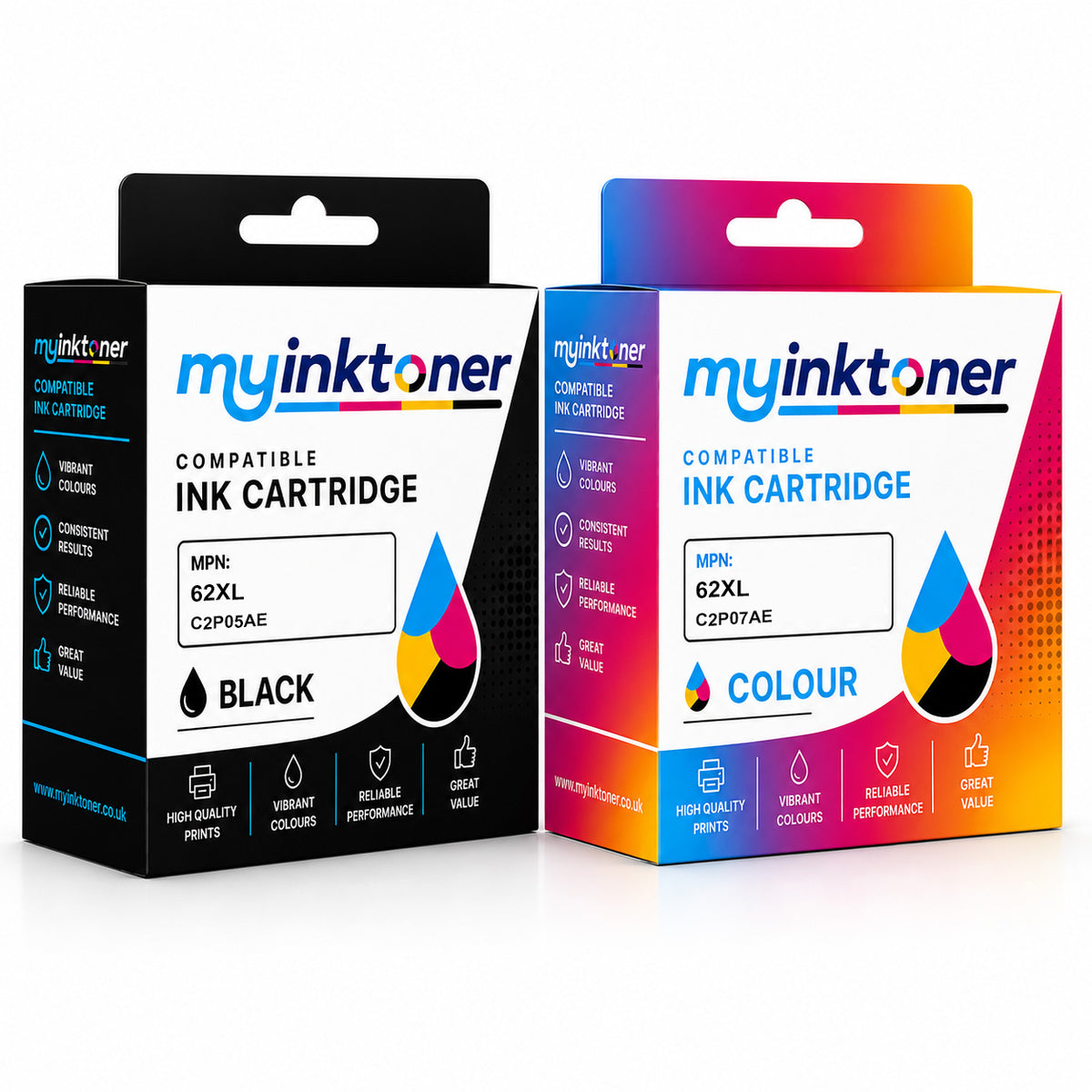
Compatible HP 62XL High Capacity Black & Tri-Colour Ink Cartridge Multipack (C2P05AE / C2P07AE)
Compatible HP 62XL High Capacity Black & Tri-Colour Ink Cartridge Multipack (C2P05AE / C2P07AE)
Includes 2 cartridges
Save £0.95 (2%)
vs buying separately
Only a few left
FREE next-day delivery
Couldn't load pickup availability
Buy 2 or more and save £4
Guaranteed to match the original
Print quality, yield, reliability and printer compatibility.
Full 1 year warranty
Complete peace of mind with every cartridge.
Save without compromise
Get the same performance as the original for less.
More Cartridges & Multipacks
-
Compatible HP 62XL Colour High Capacity Ink...
Regular price £28.95Regular price -
Compatible HP 62XL High Capacity Black Ink...
Regular price £28.95Regular price
Product Description
Looking for a dependable black and tri-colour combination ink cartridge multipack for your HP printer? This compatible ink cartridge multipack, the HP 62XL High Capacity Black & Tri-Colour Ink Cartridge Multipack (C2P05AE / C2P07AE), is a solid alternative to genuine HP cartridges, without compromising on output quality. It's built to slot straight into your printer and perform reliably from the very first page.
It has been designed to work with a range of HP printer models, including HP Officejet 5742 e-All-in-One, HP OfficeJet 5743, HP Envy 5542, HP Envy 7643 e-All-in-One, HP Envy 5541 All-in-One, HP OfficeJet 200 Mobile, HP OfficeJet 250 Mobile All-In-One and HP Envy 7642 e-All-in-One, among others. For the complete compatibility list, check the product page.
You'll receive 1 x black ink cartridge (600 pages) and 1 x tri-colour ink cartridge (415 pages) with this order. Fitting takes only a few minutes and requires no special tools. This won't void your printer's manufacturer warranty. For easy identification, it carries the part numbers C2P05AE and C2P07AE.
Make the Switch.
Save More.
Why Choose MyInkToner Cartridges?
- Cut your printing costs by up to 60%, every time you reorder.
- Built to match the original cartridge in every way — print quality, page yield, reliability and printer compatibility.
- One of the most trusted alternatives to original cartridges among UK home and business printers.
- Backed by a full 1 year warranty for total peace of mind.
Not all third-party cartridges are created the same — here's why ours are different.
OEM vs. MyInkToner Compatible Cartridge
| Feature | OEM Cartridge | MyInkToner Compatible Cartridge |
|---|---|---|
| Price | Standard Retail | Up to 60% Less |
| Ink Volume | Factory Standard | Often filled to XL capacity |
| Print Quality | 100% | 99% (Identical for text & documents) |
| Best Used For | High-end professional photography | Everyday office text, shipping labels, schoolwork and photos |
Real, tested page yield
Straight from this cartridge's spec sheet.
Page yield is tested to ISO/IEC standards and may vary with content, print settings and environment.
What does 5% coverage mean?
Page yield is measured using the industry-standard 5% coverage page - not a fully inked page.
Most of the page stays blank at 5% coverage. A fully inked page uses far more ink, so you'd get far fewer pages from the same cartridge.
≈6 essays
from a 1,000-page cartridge (about 1,500 words each)
Text uses small type and lots of white space, so coverage is usually around 5%.≈300 photos
from a 1,000-page cartridge (standard 4×6 prints)
Photos use more colour and full-page coverage, so you'll get fewer than with text documents.
Won't damage your printer — guaranteed
We know some people worry a budget cartridge could harm their printer. Ours won't. In the unlikely event it does, we'll repair or replace your printer free of charge — no matter how old it is.

Your printer's warranty stays protected
By law, using a third-party cartridge can't void your printer's manufacturer warranty. If anything ever goes wrong because of one of our cartridges, we'll step in, cover the cost, and handle repairs or a replacement ourselves.
Bottom line: there's zero risk in switching.
Compatible printers
This product is guaranteed to work with the following printer models. Click your printer to see all cartridges that fit it.
- HP Envy 5540 All-in-One
- HP Envy 5540 e-All-in-One
- HP Envy 5541 All-in-One
- HP Envy 5541 e-All-in-One
- HP Envy 5542
- HP Envy 5542 e-All-in-One
- HP Envy 5544 All-in-One
- HP Envy 5544 e-All-in-One
- HP Envy 5545 e-All-in-One
- HP Envy 5546 All-in-One
- HP Envy 5546 e-All-in-One
- HP Envy 5547
- HP Envy 5547 All-in-One
- HP Envy 5547 e-All-in-One
- HP Envy 5548 e-All-in-One
- HP Envy 5600 e-All-in-One
- HP Envy 5640 e-All-in-One
- HP Envy 5642 e-All-in-One
- HP Envy 5643 e-All-in-One
- HP Envy 5644 e-All-in-One
- HP Envy 5646 e-All-in-One
- HP Envy 5660 e-All-in-One
- HP Envy 5661 e-All-in-One
- HP Envy 5663 e-All-in-One
- HP Envy 5664 e-All-in-One
- HP Envy 5665 e-All-in-One
- HP Envy 7600 e-All-in-One
- HP Envy 7640 e-All-in-One
- HP Envy 7642 e-All-in-One
- HP Envy 7643 e-All-in-One
- HP Envy 7644 e-All-in-One
- HP Envy 7645 e-All-in-One
- HP OfficeJet 200 Mobile
- HP OfficeJet 200C
- HP OfficeJet 201
- HP OfficeJet 202C
- HP OfficeJet 250 Mobile All-in-One
- HP OfficeJet 5700
- HP OfficeJet 5740 e-All-in-One
- HP OfficeJet 5741
- HP OfficeJet 5742 e-All-in-One
- HP OfficeJet 5743
- HP OfficeJet 5744 e-All-in-One
- HP OfficeJet 5745
- HP OfficeJet 5746 e-All-in-One
- HP OfficeJet 8040 e-All-in-One
- HP OfficeJet 8045 e-All-in-One
No printers match your search.